QuickBooks Online bookkeeping, checked and cleaned up
Using QuickBooks Online and not sure the books are right? Get a free books health check from AxLedger, then let our team keep them clean, in QuickBooks or in AxLedger.
Know what is wrong before your accountant does.
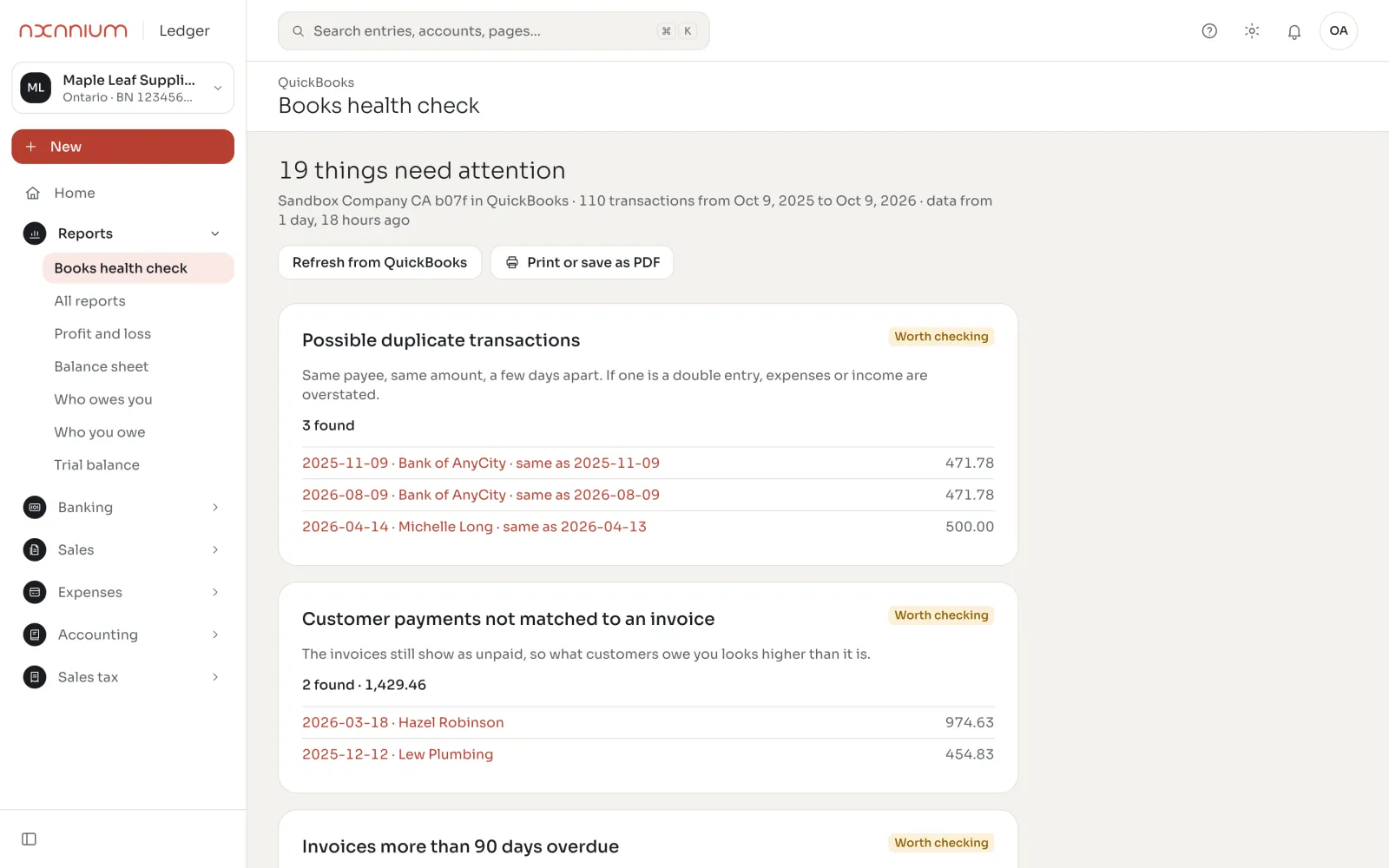
Possible duplicate transactions, customer payments not matched to an invoice, invoices more than 90 days overdue, uncategorized expenses. Each with dates and amounts, ready to fix.
- A year of transactions checked
- Results in plain language
- Print or save as PDF
A second pair of eyes on every month.
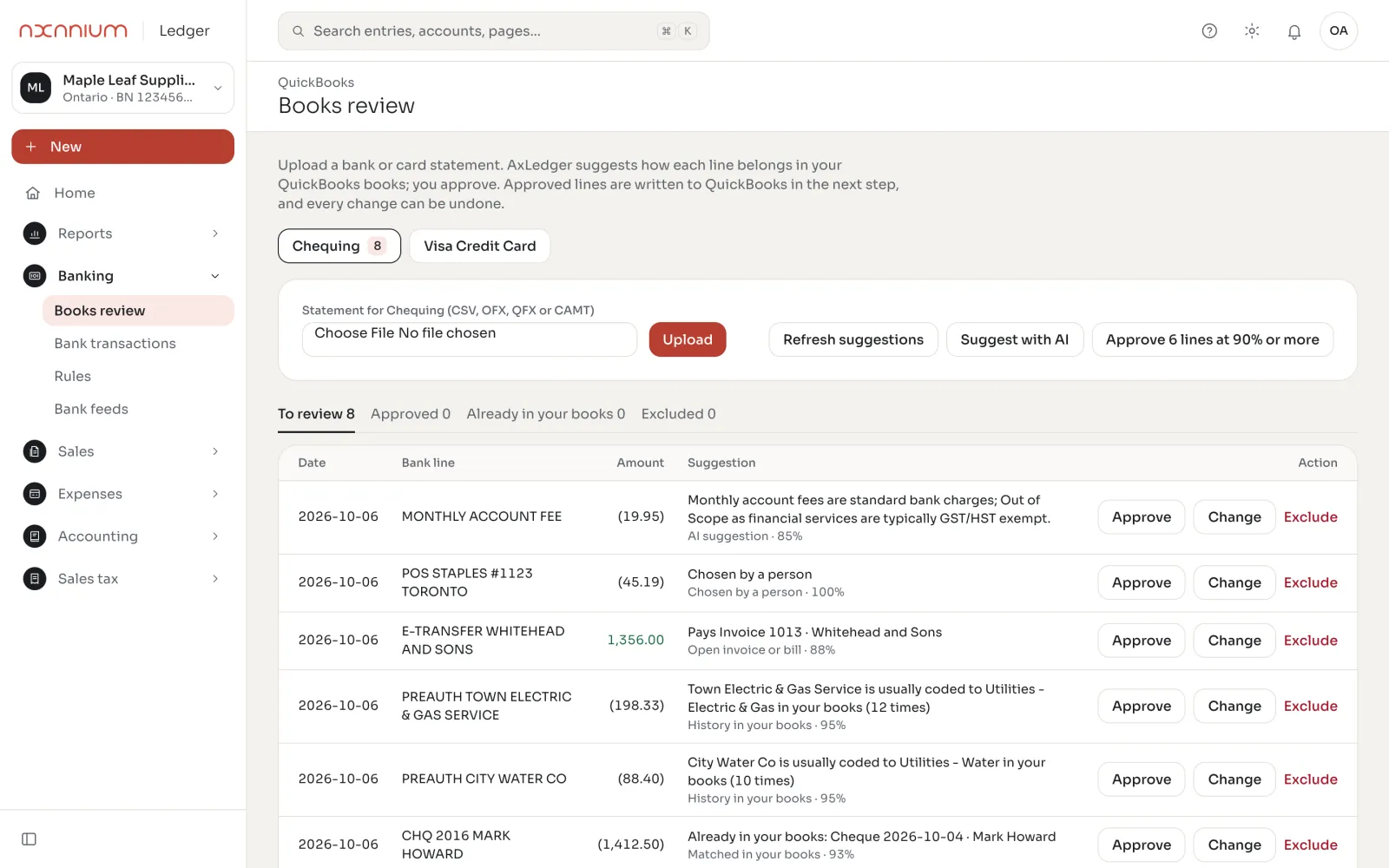
Keep working in QuickBooks Online. AxLedger reviews each month and our bookkeepers fix what it finds, so year-end has no surprises.
- Monthly review of new transactions
- Sales tax checked by province
- A short note on what changed
From QuickBooks to clean books in two weeks
-
Connect
Connect your QuickBooks Online company to AxLedger. Read-only: nothing in your file changes.
-
Health check
AxLedger checks a year of transactions and lists what needs attention, with amounts.
-
Clean up
Our bookkeepers fix duplicates, unmatched payments and old open items with you.
-
Stay or move
Keep QuickBooks with our review on top, or move to AxLedger with your full history.
Questions about QuickBooks Online
No. We can keep your books in QuickBooks Online and use AxLedger to check and review them. Most clients move over once they see both side by side.
Your chart of accounts, customers and vendors, open invoices and bills, transaction history and opening balances. Your QuickBooks file stays as it was.
Usually one to two weeks, most of it spent on the health check and the clean-up, so you start with books you trust.
Nothing. Connect your file and we send you the results, whether or not you work with us.
Get your free books health check.
Send us a note and we will set up the connection with you. You keep the results either way.