Accounts payable and invoice automation
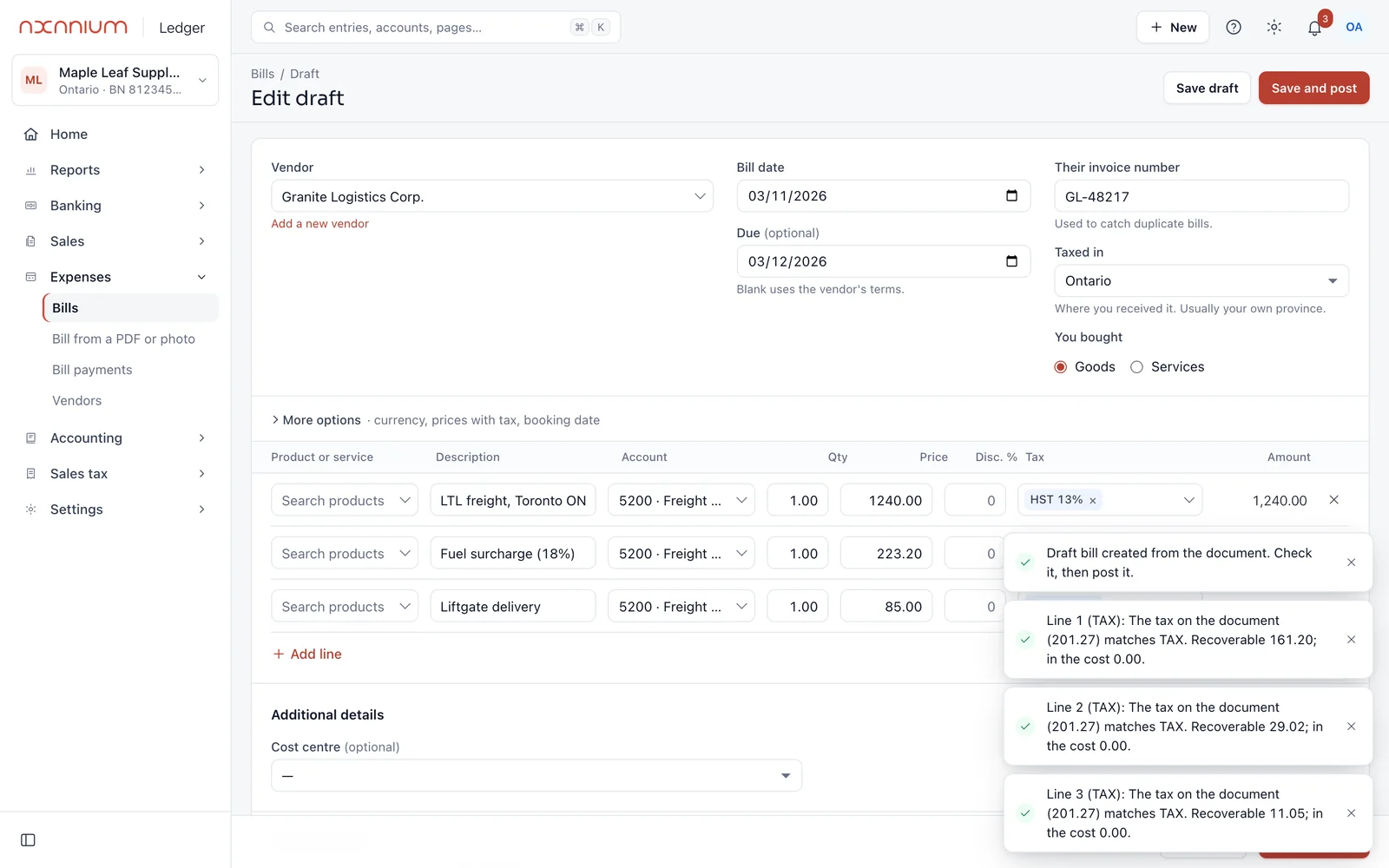
AxLedger reads supplier bills, checks the GST/HST, PST or QST on each line, flags duplicates and matches payments. The Axanium Team reviews it, or you do with AxLedger on its own.
What is accounts payable automation?
Accounts payable is everything between a supplier's bill arriving and it being paid and recorded: capturing it, checking it is not a duplicate, coding the account and sales tax, paying it and matching the payment.
Automation takes the typing and the checking-by-memory out of those steps. It works best when a person still decides what goes into the books, because a wrong tax code or a duplicate bill costs more than the time it saves.
Each step, by hand and with AxLedger
| Step | By hand | With AxLedger | Who decides |
|---|---|---|---|
| Capture the bill | Typed in from a PDF or email | Read from a PDF or photo into a draft bill: supplier, invoice number, dates, lines and tax | A person checks and posts it |
| Catch duplicates | Memory | The supplier's invoice number is checked, and the health check flags the same payee and amount a few days apart | A person confirms |
| Code and tax | A guess on every line | An account and tax code suggested for each line, and the tax compared with the document | A person accepts or changes it |
| Pay | Your bank | You pay from your bank as you do today; the payment is recorded and matched to the bank line | A person confirms the match |
| Follow up | Spreadsheets and reminders | Bills due and overdue on the home screen; automations can notify people, send an email or call a webhook | You decide what runs |
Invoice automation for the money coming in
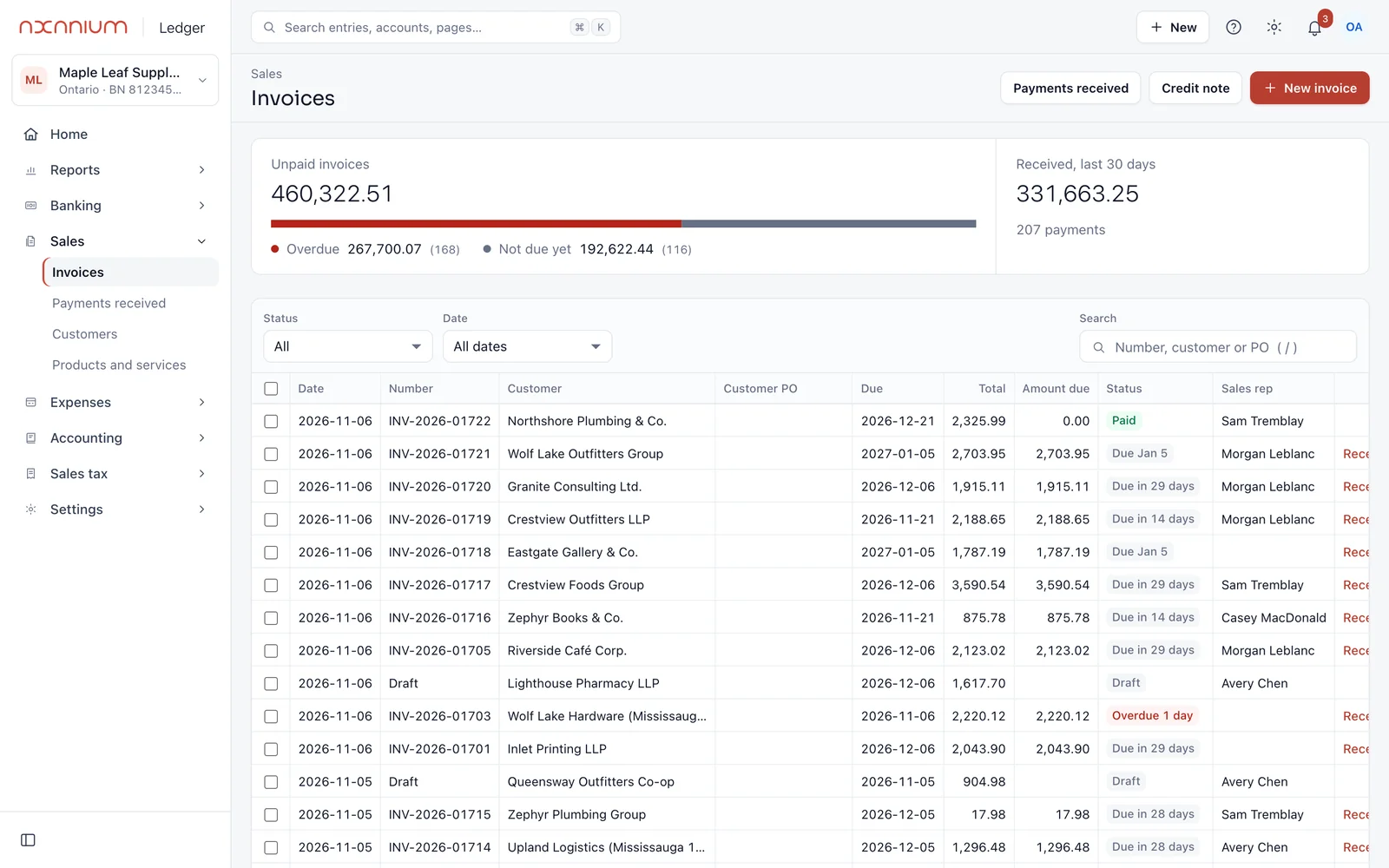
The same checked process for receivables.
Invoices out
Customer invoices created, sent and listed by what is unpaid and overdue.
Payments in
Customer payments matched to the invoices they pay, so what customers owe is right.
Who owes you
An aged list of open invoices to follow up, every month.
Software, or done for you
AxLedger on its own, $39 a month
You keep the books. AxLedger reads the bills, suggests the coding and tax, and you accept each one.
Done for you, from $349 a month
The Axanium Team runs your payables and receivables on AxLedger every month and closes the books.
What it does not do
So you know before you start.
- Pay your suppliers or move money: payments stay in your bank
- Post a bill without a person accepting it
- Route bills through approval limits by amount yet: today it records who accepted each bill
- Promise a level of reading accuracy: every draft bill is checked
Questions about AP and invoice automation
Software that takes the typing out of supplier bills: reading them, checking for duplicates, coding the accounts and tax, and matching payments, so people only review and decide.
Software that reads invoices you receive into bills, and sends and follows up the invoices you issue. AxLedger does both, with a person checking each step.
Yes. AxLedger connects to QuickBooks Online today, and the Axanium Team can work inside your file. Xero and Odoo connectors are in early access.
Yes. Each line gets a GST/HST, PST or QST code, and the tax on the bill is compared with the document so you claim back the right amount.
No. You keep paying from your bank; AxLedger records the payment and matches it to the bank line.
Your books and documents are stored in a Canadian data centre. The AI service that reads documents processes them outside Canada; our privacy policy lists every provider.
Start with a free books health check.
We go through your books and send back a plain list of what is wrong and what it would take to fix. Free, with no obligation.